

Starter kits
Rooms from the terminal
Install the pooled command, download a model, open a room on one computer, lend a second computer's GPU to it, and chat. No browser needed.
Goal: run a room from the command line: one computer hosts, a second lends its GPU, and you chat with the model.
You need
Section titled “You need”- Two computers with a GPU that WebGPU can use: macOS 26 or newer (Metal), Linux with glibc 2.38 or newer and a Vulkan driver (like Ubuntu 24.04), or Windows (D3D12). One computer works too: skip steps 5 and 6.
- Node 22 or newer on each. Check with
node --version. - About 100 MB for the
pooledcommand, and a 19.4 GB download for the Qwen3.6 35B MoE, the model in this guide. It needs 23 GB of GPU memory across the room. On computers with less memory, use Qwen3 1.7B instead (pooled pull qwen3-1.7b, 1.7 GB): it needs 6 GB, or 4 GB at an 8K context. - 20 minutes, plus the download (under 4 minutes on a fast line in our test).
-
Install the command on each computer:
npm install -g @pooled/clipooled --versionThis guide was checked with 0.3.3. The install includes WebGPU for Node (Dawn, about 95 MB), which
hostandjoinneed. -
Download the model on the computer that will host:
pooled pull qwen3.6-35b-moeIt shows a progress bar and checks the file when it’s done.
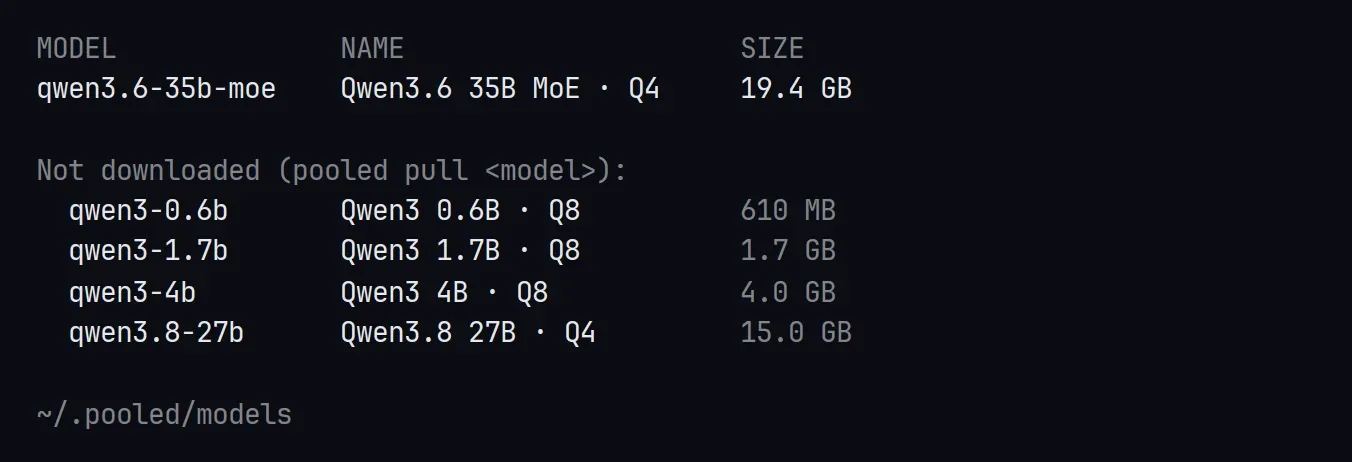
pooled listshows what is downloaded and what isn’t. Models go to~/.pooled/models. If you stop a download with Ctrl-C,pooled pullagain carries on where it stopped.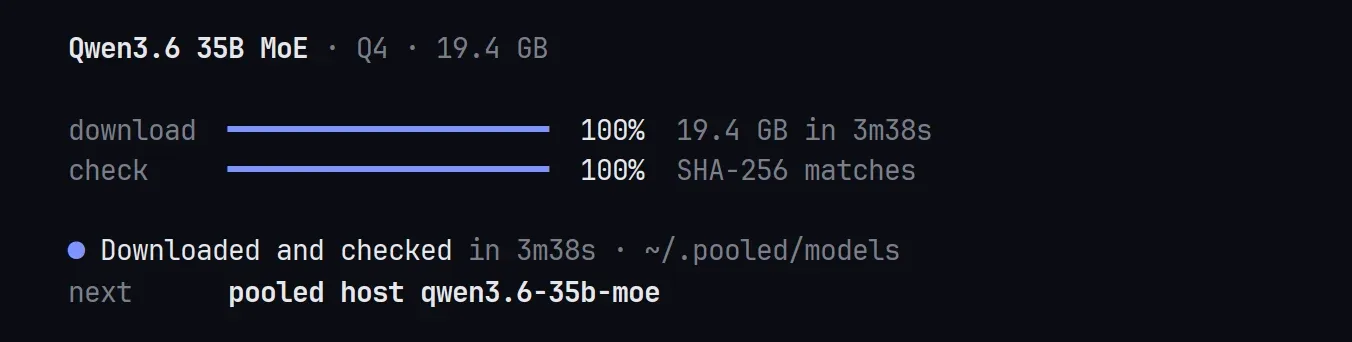
-
Open a room:
pooled hostThe room opens at once. First it prints the room code, the invite link and the exact
pooled joinandpooled chatcommands for this room, to copy to your other computers. The code and link stay at the top of the screen. Then it asks:-
Which model? One list, smallest first. Each line shows what the model needs and whether it is downloaded (or how big the download is). The largest model this computer can hold alone is selected. Move to Qwen3.6 35B MoE with ↑/↓ and press Enter.
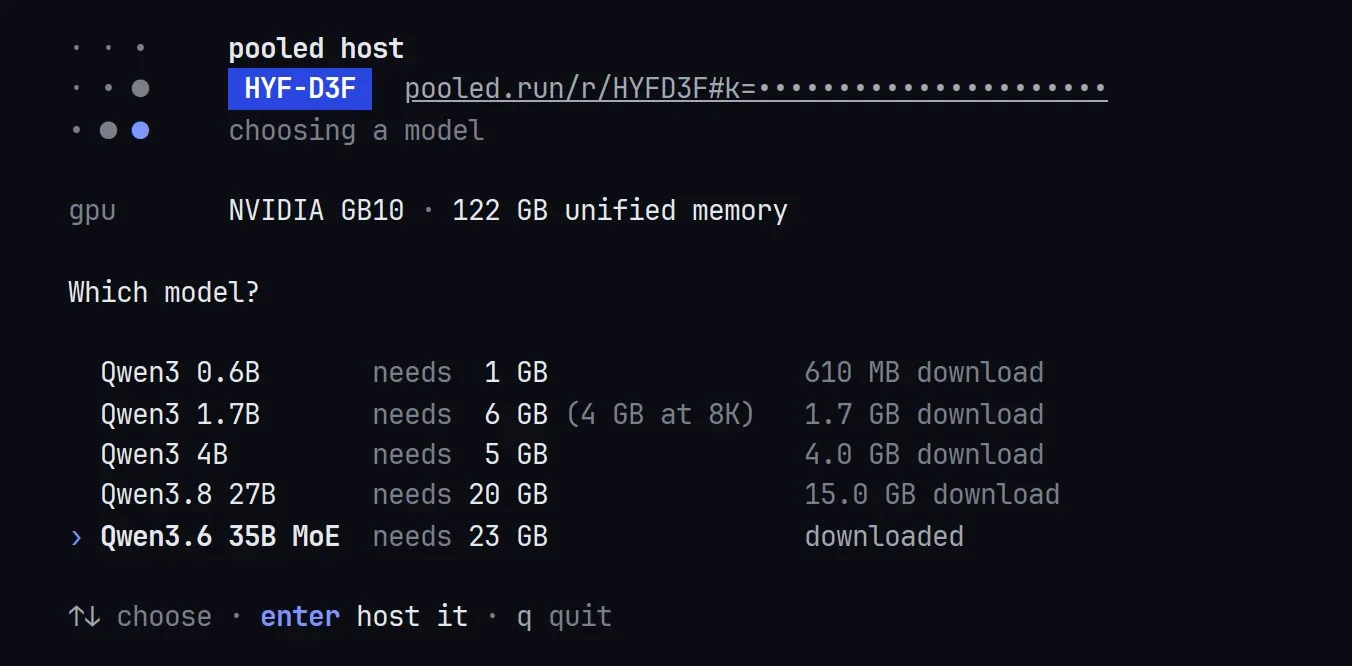
The invite key is hidden in these captures. -
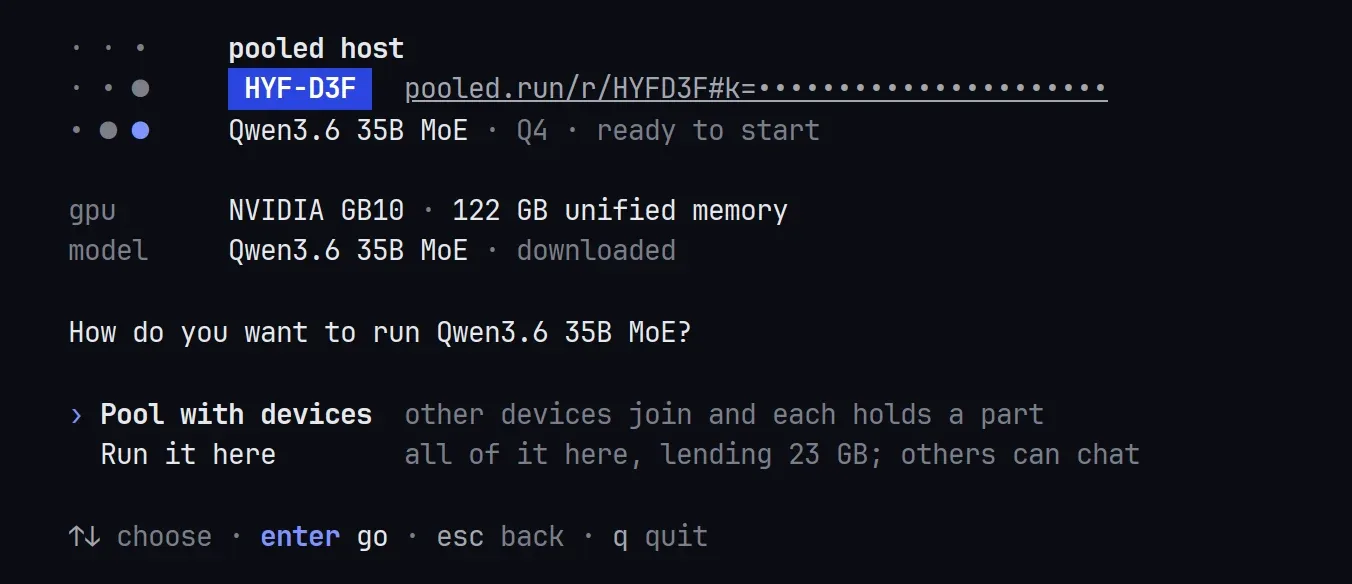
How do you want to run it? Two choices: Pool with devices (other devices join and each holds a part) and Run it here (all of it on this computer, lending what the model needs, and it starts at once; other devices can still join to chat). Pool with devices is selected: press Enter. Esc goes back to the model list.
-
How much memory does this computer lend? Type a number or use ←/→, then Enter. To see a second computer share the work, lend less than the model needs, like
14(the second computer lends 10).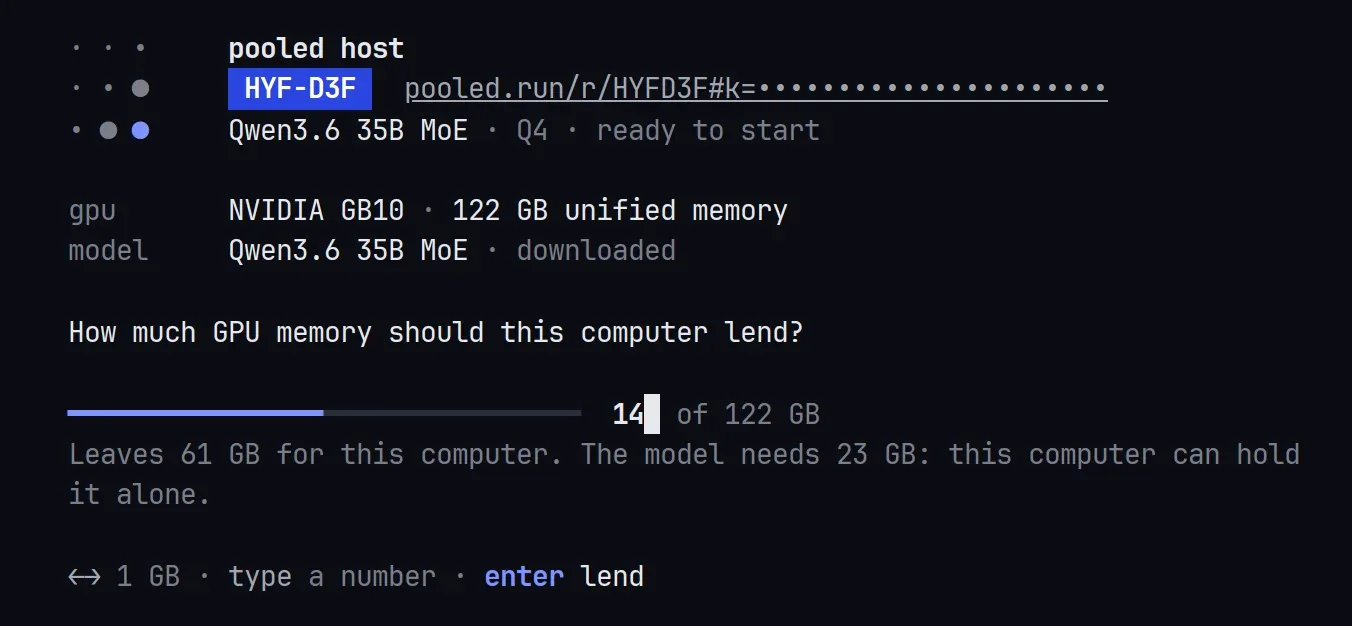
-
-
Read the room screen. It lists each device with what it lends, and how much memory the room has against what the model needs. If it is short, it says so, for example
Needs 9 GB more: one more device, or press l to lend more., and enter start stays off.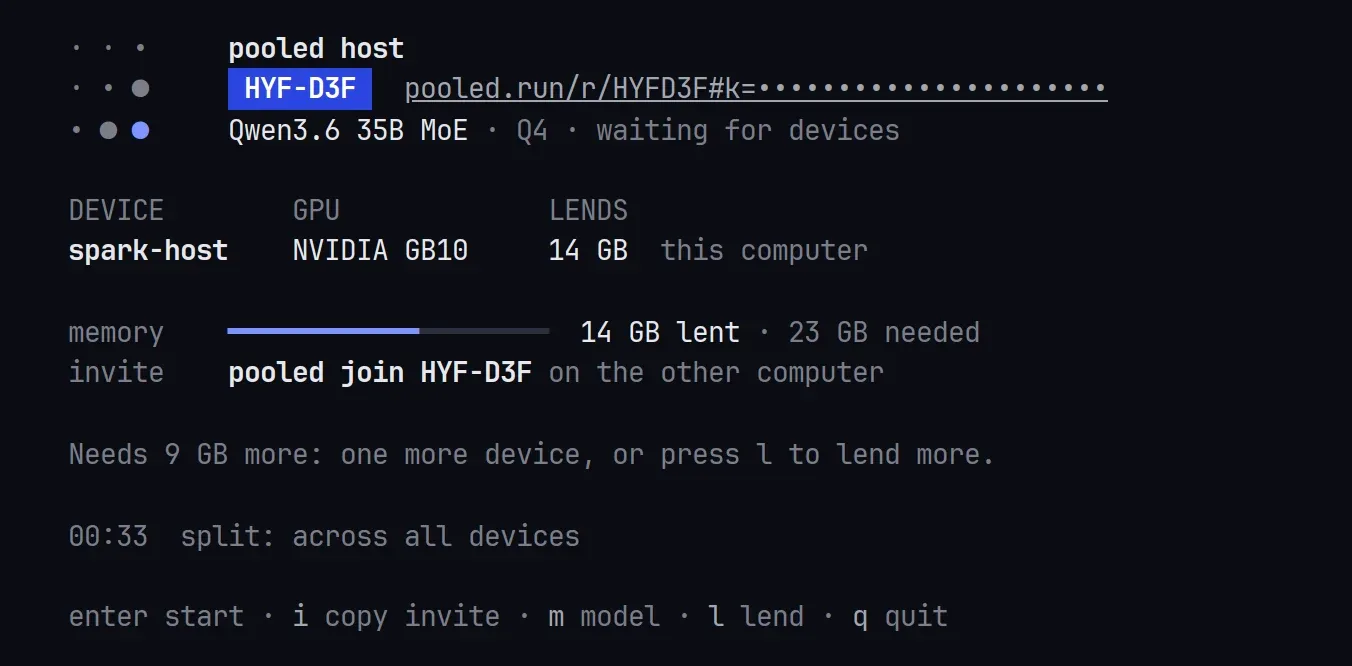
-
Join from the second computer:
pooled joinIt asks for the room code or invite link, then how much to lend (←/→ or type, then Enter), before it knocks, so the host sees the real amount. With the invite link it gets in at once. With the code alone, it shows the host’s room and model and waits for the host to let it in.
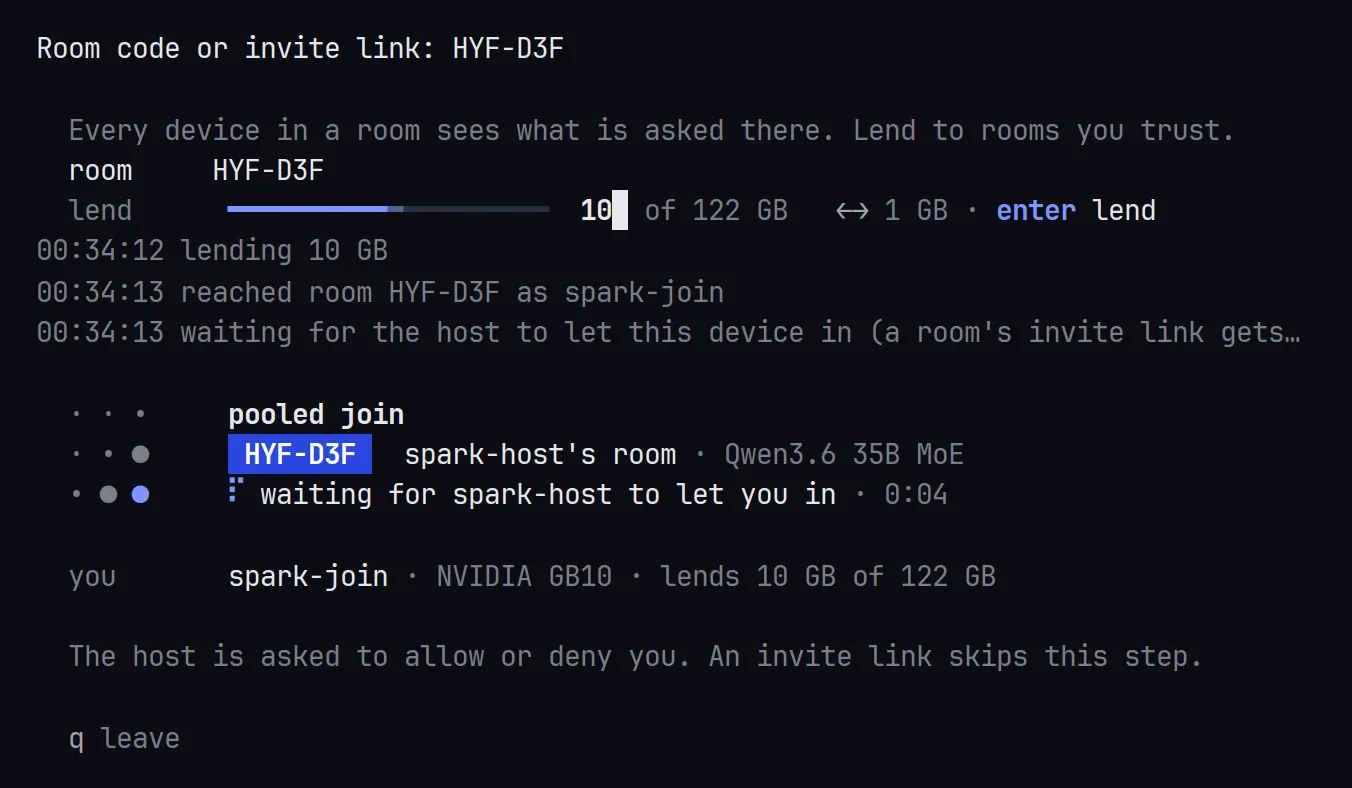
-
Let it in. On the host, the device shows under Waiting to join, like
spark-join wants to join (computer, 10 GB). Press a to let it in, or d to turn it away. Once it’s in, it’s listed under Devices with what it lends.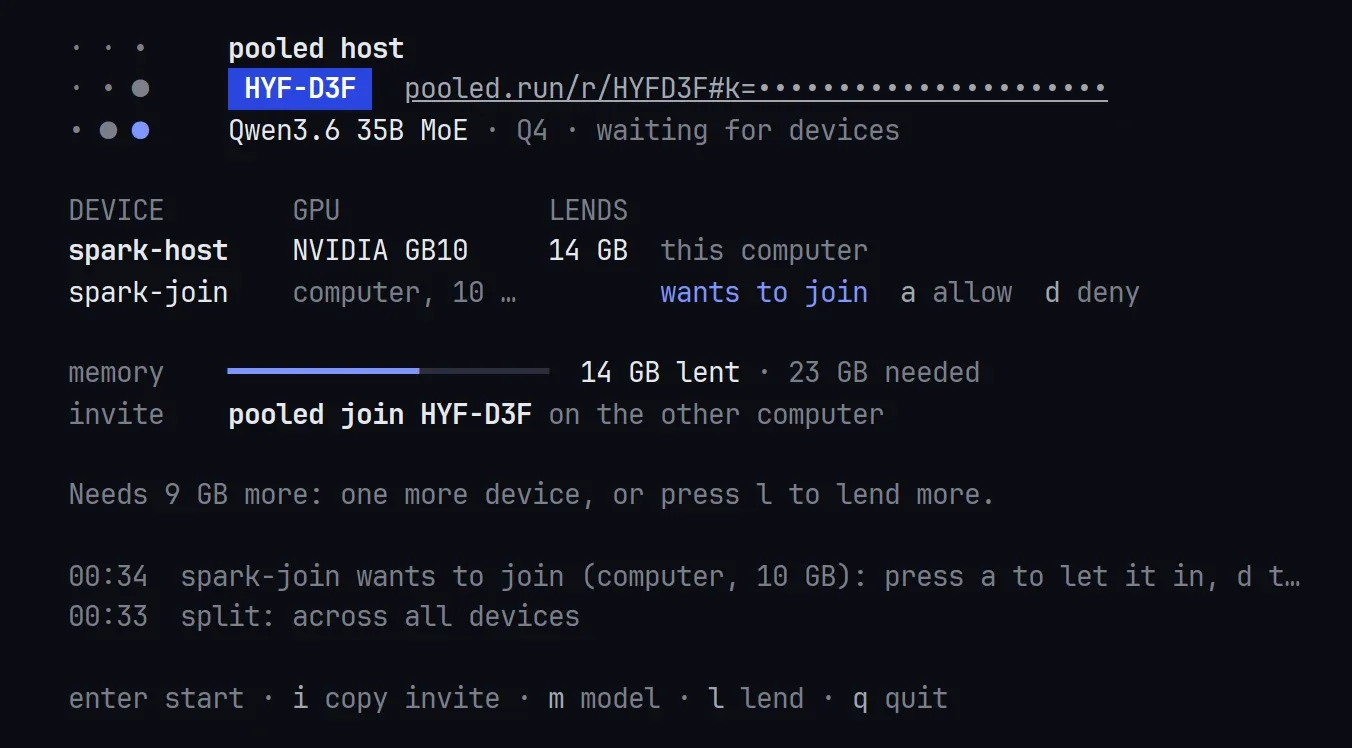
-
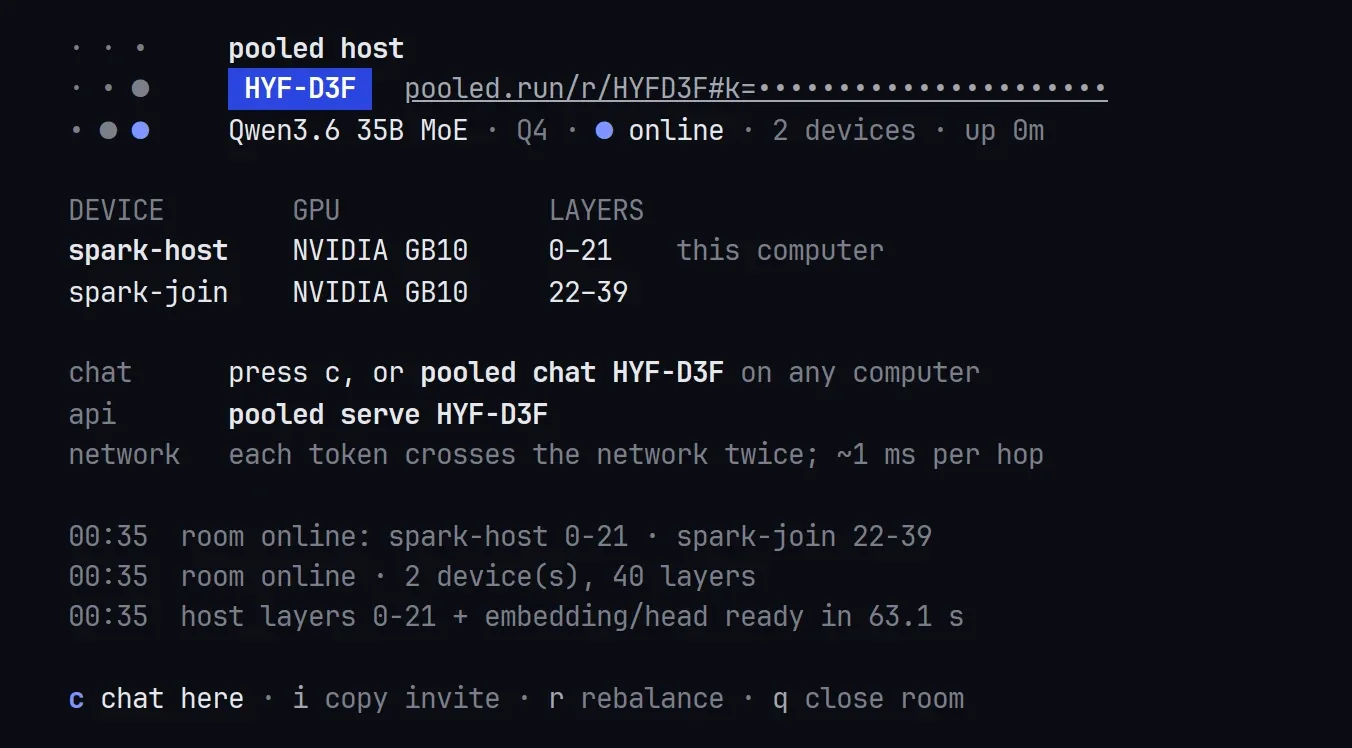
Press Enter to start once the room has enough memory. Each device shows its load progress, then the screen says ● online with the layers each one holds.
-
Press c to chat right there. Type a question and press Enter. The line under each answer shows the speed. Type
/exitto go back to the room screen.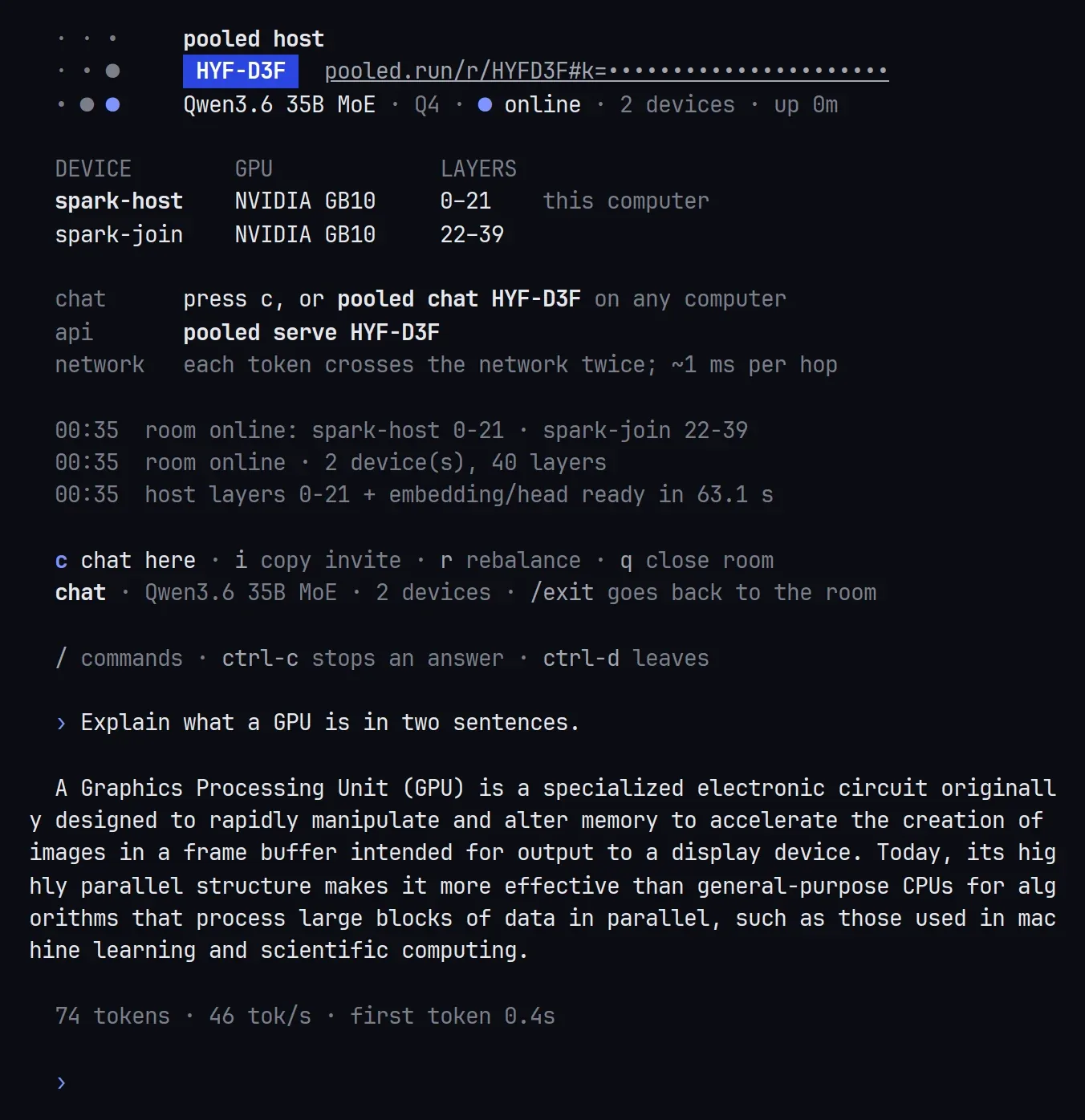
What you should see
Section titled “What you should see”- After step 2:
● Downloaded and checked, thennext pooled host qwen3.6-35b-moe. - After step 7:
● onlineat the top androom online: spark-host 0-21 · spark-join 22-39in the log, about a minute after Enter when the model is on disk (63 seconds in our test: each computer loads its part of the 19.4 GB file). - After step 8: an answer, then a line like
74 tokens · 46 tok/s · first token 0.4s.
What a model needs grows with the room’s context. pooled host opens each model at its longest room context: 128k on the MoE, which needs 23 GB, and 16k on the 1.7B, which an agent such as OpenClaw needs. The 1.7B needs 5.5 GB at 16k, shown as needs 6 GB (4 GB at 8K). When the room has less, pooled host opens it with an 8k context instead and says so: Qwen3 1.7B · 8K context: the room's memory is short for 16K. --ctx 16384 or --ctx 8192 takes that context and no other.
Chat from anywhere
Section titled “Chat from anywhere”pooled chat talks to a room from any computer, with no GPU. It joins to ask, not to hold layers:
pooled chat "https://pooled.run/r/FEAQ38#k=…"It keeps the conversation. /clear starts over, /think lets the model think first, Ctrl-C stops an answer, and /exit leaves.
Scripting it
Section titled “Scripting it”Every question has a flag, and a flag you give skips its question. Without a terminal, nothing is asked.
# host: Qwen3.6 35B MoE, lend 14 GB, start once 2 devices are inpooled host qwen3.6-35b-moe --pool --gb 14 --wait 2
# second computer: lend 10 GB, no questionspooled join "https://pooled.run/r/FEAQ38#k=…" --gb 10
# ask once and print only the answerpooled chat "https://pooled.run/r/FEAQ38#k=…" "What is 17 times 23? Answer with the number only."| Flag | Does |
|---|---|
pooled host <model> |
Picks the model. A part of the name works: 1.7b, 35b. |
--pool / --here |
Answers “how do you want to run it”: pooled with other devices, or all of it here (it lends what the model needs and starts). |
--gb <n> |
How much this computer lends. max keeps only a small margin. |
--start |
Starts as soon as the room has enough memory. |
--wait <n> |
Starts once n devices (this one included) are in and it fits. |
-y, --yes |
Downloads a missing model without asking. |
--allow-all |
Lets in anyone with the code, without asking. |
--name <s> |
How the room shows this computer. |
--json-log |
One JSON object per log line, for services. |
pooled host --model list prints the model names. Every flag is on Rooms from the terminal.
Stop and clean up
Section titled “Stop and clean up”- q on the host, or Ctrl-C, closes the room for everyone.
- Ctrl-C on a
pooled joinleaves the room and frees the GPU. After the host quits, a join keeps knocking for a while in case the host comes back: press Ctrl-C to stop it. pooled rm qwen3.6-35b-moedeletes the downloaded model.pooled listshows what is left.npm uninstall -g @pooled/cliremoves the command.
If something goes wrong
Section titled “If something goes wrong”No WebGPU adapter: Dawn found no GPU it can use on this computer.
Section titled “No WebGPU adapter: Dawn found no GPU it can use on this computer.”host and join need Metal (macOS 26 or newer), Vulkan (Linux, with the NVIDIA or Mesa driver) or D3D12 (Windows). If WebGPU for Node didn’t install, the command says how to add it. pooled chat and pooled serve work without a GPU.
Not enough GPU memory to lend or The GPU ran out of memory
Section titled “Not enough GPU memory to lend or The GPU ran out of memory”Close other apps that use the GPU, or lend less with --gb, at least 1.
No room … or the join waits for the host
Section titled “No room … or the join waits for the host”Check the code, and that pooled host (or the host’s browser tab) is still open. With the code alone, the join waits until the host presses a. Give it the invite link to skip that.
More: Rooms from the terminal and Troubleshooting.
- Rooms from the terminal: every command, flag and screen.
- Use a room from your coding tools with
pooled serve. - OpenClaw assistant.
- Browser tabs and phones can join a
pooled hostroom with its invite link, like any room: see Pool two devices.